• Link to Facebook
  • Link to LinkedIn
  • Link to Youtube
952-484-6015
Mindshare Marketing & Implementation Services LLC
  • Home
  • How I Work
    • About Michelle Aspelin
  • MembershipWorks
    • MembershipWorks Implementation Services
      • Membership Websites with MembershipWorks
      • Membership Level Comparison
      • Is MembershipWorks Right For Your Organization?
    • DEMOS
      • MembershipWorks DEMO – READ FIRST
      • Member Sign-Up Form Demo
      • Membership Directory Demo
      • Event Calendar Demo
      • Announcement Board Demo
      • Classified Ad Demo
        • Post a Classified Ad Demo
        • Manage Listings Demo
      • Shop Demo
      • Member Only Page Demo
      • Member Login
    • How-To VIDEOS
      • HOW TO Send an Email Launch Letter via MembershipWorks
      • HOW TO Create Events in MembershipWorks
      • HOW TO Create and Send an Invoice in MembershipWorks
      • HOW TO Create Classified Ads in MembershipWorks
      • HOW TO Create a Shop in MembershipWorks
      • HOW TO Use Labels in MembershipWorks
      • HOW TO Export Contacts from MembershipWorks
      • HOW TO Add Your Logo in MembershipWorks
      • HOW TO Manage Your Member Profile
  • Services
    • Services
    • Membership Websites with MembershipWorks
    • Website or Blog Consultation
    • Completed Websites
    • Virtual Assistant Services
    • Communication Consultation
    • Developer Partners
  • Resources
  • Blog
  • Contact
  • Click to open the search input field Click to open the search input field Search
  • Menu Menu
WordPress Website Tips

Check your PHP version and update

Hello!

It’s time to log into your WordPress website and see if you have a warning about the need to check your PHP version of the software. Its software that resides on the server computer where your website is hosted. Most of my clients sites are hosted with BlueHost.com or SiteGround.com but I know others use GoDaddy and other host services.

When you log in, you will see a warning on the Dashboard. If you don’t see the warning then you are all set. If you do see the warning then you need to alert your hosting company and ask them to update your PHP software. Most times, there is no effect to your website. Check your site immediately after the update to make sure everything still looks ok and links and forms are working properly. I have had one client who’s theme was outdated. The theme maker quit making updates for it. Therefore, it wasn’t compatible with the most recent PHP software version and her site “broke” and wouldn’t display at all.

The good news was that all of her content was still there, we just needed to find a new theme. We chose one from the same provider as the original theme to make the transition the easiest and most cost effective. It only took 2 hours to convert and give her website a whole new look. It’s much more updated looking, it’s simple and easy to navigate.

If you need help to check your PHP version of the software or fix your site if your theme is outdated, let me know. There are some scans I can run ahead of time to see if your site might have issues. It’s important to keep all of your plugins updated as well as your theme and WordPress version. Updates are typically done to improve security, speed, fix bugs, and add options.

Let me know if you have any WordPress or website hosting questions. For questions about BlueHost, visit my Resources page. To see all of the services I offer, view my Services page.

Click here to learn what technically PHP is.

Michelle Aspelin
Mindshare Marketing & Implementation Services LLC
952-484-6015

by Michelle Aspelin
Tags: Hosting Company, PHP Software, Website Maintenance, WordPress Website, WordPress website updates
Share this entry
  • Share by Mail
  • Facebook Facebook Share on Facebook
  • Square-x-twitter Square-x-twitter Share on X
  • Linkedin Linkedin Share on LinkedIn
  • Reddit Reddit Share on Reddit
https://growyourmindshare.com/wp-content/uploads/2020/09/PHP.jpg 692 692 Michelle Aspelin https://vmy.als.mybluehost.me/growyourmindshare/wp-content/uploads/2025/03/Mindshare-Logo-2Browns-300x88.png Michelle Aspelin2020-09-14 12:26:292026-03-02 15:47:26Check your PHP version and update
You might also like
Advice for Nonprofits
Move to Grand Junction website
Helping Nonprofits Get Organized
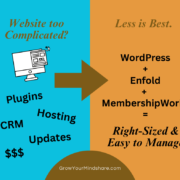
website too complicated graphic Is Your Membership Website More Complicated Than It Needs to Be?
Avoid Spam Comments Replace your Akismet Spam Protector Plugin
Website Security Website Security
Blog Post How to Make an Effective WordPress Blog Post
Need a New Website?
WordPress Website

Post Categories

  • Marketing Tips
  • Membership Websites
  • Project Spotlight
  • Resources and Inspiration
  • WordPress Website Tips

My Top Strengths – Discover Yours!

According to the Clifton Strengths Assessment by Gallop, my Top Strengths are listed below. See if I make a good fit for your business or organization. Discover your own Top Strengths to help YOU become more focused, more efficient and more successful in your group.

ACTIVATOR | COMMUNICATION | IDEATION | FOCUS | FUTURISTIC | MAXIMIZER | LEARNER

Post Tag Cloud

Association management (2) automated renewal process for clubs and trade associations (2) best trade association management software (3) best WordPress theme for beginners (2) comparing websites for MembershipWorks (3) Constant Contact (2) Content Marketing (2) Discover Your Strengths (4) earn revenue with MembershipWorks (2) Easy Membership WordPress Websites (3) effective blog posts (2) Email Marketing Campaigns (3) Enfold Theme (3) facebook (2) Facebook Posts (2) gaining more clients (2) Gallup Poll about Strengths (2) help setting up MembershipWorks (2) linkedin (2) MailChimp (3) Marketing Tips (3) Membership Directory (2) Membership management (2) Membership software (3) Membership Websites (4) MembershipWorks (10) MembershipWorks Membership Websites with WordPress (2) Michelle Aspelin (9) Mindshare Marketing & Implementation Services (2) Nonprofit Membership Management (3) Nonprofit Membership Websites (2) Nonprofits (2) Nonprofit websites (2) Social Media (4) Squarespace (2) StrengthsFinder (3) Time Management (2) Website Maintenance (2) Weebly website (3) WordPress Blog (2) WordPress Plugins (3) WordPress themes (2) WordPress Website (12) WordPress Websites (4) WordPress website updates (3)
Mindshare Marketing & Implementation Services LLC
© 2010-2026 Mindshare Marketing & Implementation Services LLC | Michelle Aspelin
  • Link to Facebook
  • Link to LinkedIn
  • Link to Youtube
  • MembershipWorks
  • Website Photo Policy
  • Privacy Policy
  • Accessibility
  • Contact
Link to: 10 Basic Rules of Copy Writing Link to: 10 Basic Rules of Copy Writing 10 Basic Rules of Copy Writingwriting content Link to: How Do You Manage Your Nonprofit Membership? Link to: How Do You Manage Your Nonprofit Membership? Nonprofit OrganizationHow Do You Manage Your Nonprofit Membership?
Scroll to top Scroll to top Scroll to top