Tag Archive for: Enfold Theme

If your business, nonprofit, homeowner association, or organization has a website built using Weebly, you may be wondering what the future holds. Well, it’s time for a Weebly website migration.

I helped many organizations build websites using Weebly because it was simple, affordable, and easy to update. However, Weebly was acquired by Square, and over time Square has shifted its focus toward its newer website and ecommerce products.

While Weebly websites continue to function normally today, industry discussions and platform trends suggest that Weebly is moving into a long-term “maintenance mode” with no future updates or enhancements. Because Square has stopped updating the software, it may eventually not function properly like it does today.

The good news: there is no reason to panic or make an immediate change. A thoughtful transition can happen over time and on your schedule.

My Experience with Weebly Websites

Weebly vs WordPressFor many years, I built Weebly websites for clients who needed a simple, affordable website that they could manage themselves as opposed to a more comprehensive platform like WordPress.

For small businesses, nonprofits, community organizations, and associations that needed a straightforward online presence, Weebly was a great fit. It allowed clients to make basic updates without needing technical skills or ongoing website support.

Now is a good time to evaluate your options, preserve your content, and make a thoughtful decision about what type of website you need for the future. I have a WordPress theme I use that offers the “drag and drop” type of page builder similar to Weebly. Making website creating and editing easy for my clients. Read more about why I use the Enfold theme I use.

If you have questions about your Weebly website, contact me.

Why Start Planning a Weebly Website Transition?

A website platform is like any other technology tool, eventually it may become outdated, unsupported, or no longer meet your organization’s needs.

Here’s what I recommend you do now:

  • Review your current website content and remove old, outdated content
  • Compare website platforms to find one that fits your needs and your budget
  • Plan a transition timeline that’s convenient for your organization
  • Make sure you have your photos, videos, and PDFs stored in an alternate platform like Google Drive or Dropbox

Waiting until something breaks will cause stress and frustration. I would make the change sooner rather than later so you are in control.

Your Website Needs to Be Rebuilt — Not “Moved”

Changing website platforms is not a simple transfer. Your whole Weebly website cannot be copied directly into another platform. Instead, the new website is built using a different system, with your existing content, images, documents, and branding used as the foundation. Content is copied, page by page, to the new site. All images and documents need to be uploaded into the new website’s media library. The good news is that this is also an opportunity to clean up outdated information and improve navigation and functionality.

Weebly Website Alternatives to Consider

The best platform depends on your organization’s needs, budget, and how much control you want over the website. I like to stay in my wheelhouse so I can help you with a new Squarespace or WordPress website as your Weebly website alternatives.

Squarespace

Squarespace is a good option for organizations that want a professional-looking website with simpler maintenance than WordPress. Monthly plans start at $16/month up to $39/month for more robust features. See current options. I have built or improved several Squarespace sites, including adding MembershipWorks.

It works well for:

  • Small businesses
  • Professional services
  • Community and trade organizations
  • Organizations that do not need complex features
  • Membership management

WordPress

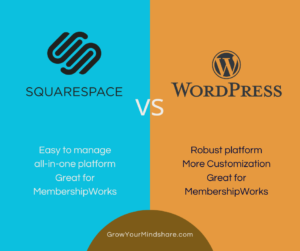
Squarespace vs WordPress for Membership Websites graphic with platform logos

WordPress is a more robust option and is often the best choice for organizations that want room to grow, need additional features, or focus on blog posts and better search results.

It works well for:

  • Businesses that rely on search engine traffic
  • Organizations with more complex needs
  • Websites that need additional functionality, special forms and integrations with other platforms
  • Focus on blogging, newsletter archives, extensive photo galleries
  • Membership management

I have a blog post that compares Squarespace and WordPress you might find helpful.

Square Websites

Since Square owns Weebly, you may consider having them convert your site to a Square site, especially if you already use Square for payments or ecommerce.

it is important to compare features carefully and choose the platform that best fits your future needs. I have not built sites with Square, so if you choose this platform, you will need to find a developer to help you make sure its set up properly or use their online support.

Don’t Forget About Your Documents and Website Files

Many organizations use their website as a document library. Homeowner associations, nonprofits, clubs, and membership organizations often store:

  • Meeting minutes
  • Financial documents
  • Forms and policies
  • Member resources
  • Extensive photo galleries and historical records

Before changing website platforms, I recommend creating an organization-owned archive.

Consider storing important documents and images in a dedicated cloud storage account such as Google Drive or Dropbox.

The key is that the account belongs to your organization — not an individual volunteer, board member, or website admin.

This protects your records if leadership changes or someone who manages the website is no longer available. I cannot emphasize this enough. I have worked with organizations where a key person passed away, and no one could access important website accounts or files. I have also seen situations where a former employee or volunteer left the organization and account access was difficult to recover.

Your Domain Name Can Move with You

Don’t worry about losing your website address when you move to a different website platform. Your domain name (your website address) is separate from your website software. In most cases, your domain can be transferred to a new website hosting provider when you build a new website. Or, we can “point” your domain to a different hosting provider. We will review and see when your domain and current hosting account expires to try to avoid overlapping services.

How I Help Clients Transition Away from Weebly

I help small businesses, nonprofits, and organizations evaluate their website options and plan practical transitions.

I create websites using WordPress and Squarespace, and I can also help you prepare your content, organize documents, and create a transition plan.

The first step is simply understanding your options. A website transition does not have to be rushed. Planning ahead gives you time to make the right decision for your organization.

Let’s schedule a phone call to discuss your Weebly website alternatives.

952-484-6015

Michelle Aspelin
Website Implementation Specialist
Mindshare Marketing & Implementation Services, LLC

The Enfold WordPress theme is known for its simplicity, appealing to myself and my clients who prioritize quick, styled, and straightforward website setups. It is a reliable and stable theme for a WordPress website. I like it because it offers just enough tools and elements to make a custom website without being overly complicated. Many of my clients are beginners or non-technical when it comes to updating and maintaining a website. I want to empower my clients so they can easily manage their site themselves. That’s why I use this beginner-friendly theme. To make it less stressful for my clients to maintain long-term. Helping you grow your mindshare!

Developer’s Perspective on Enfold

Kriesi developed the Enfold WordPress theme and they intend to continue maintaining and developing the Enfold theme in the future, which is great news.

The theme is actively maintained with regular updates to ensure security, fix bugs, and maintain compatibility with the latest versions of WordPress and PHP.

I have used Enfold for client projects for years because it provides a stable foundation. It’s known for a lean, streamlined build and a user-friendly admin interface, making it ideal for smaller, less complex projects or beginners.

Enfold uses its own page builder, the Avia Layout Builder (ALB), which is intuitive for beginners and non-developers. It allows for drag-and-drop page creation without touching code. We can add columns, rows, images, buttons, slideshows, text boxes, and more very easily by clicking on the element and dragging it to where we want it on the page. The ability to “preview” it before we publish it makes sure it’s the way we want before it goes live.

It offers a wide range of elements, but not so many that it becomes too complex. The minimalist approach generally results in faster load times out of the box and makes it easier to build and maintain.

I feel it’s a short learning curve when it comes to editing pages or making blog posts. In most cases, a 30-minute phone call or Zoom training session is enough for my clients to feel confident updating pages, images, and blog posts on their own. I offer more training for those who want to make regular blog posts and learn more about SEO (search engine optimization).

Future Outlook and Longevity

Enfold WordPress Theme logo with demo sites in the background

WordPress itself powers over 40% of the internet and is continuously evolving with new tools and standards. Enfold is part of this robust ecosystem and adapts to core changes.

For an affordable one-time purchase (currently $59, but subject to change) you get a lifetime license for your website, which is a significant value compared to the growing number of subscription-based models.

I connect your theme purchase to your WordPress website making it easy to keep the theme updated.

Is Enfold One of the Best WordPress Themes for Beginners?

Many people search for the best WordPress theme for beginners because they want a website they can maintain without relying on a developer for every small update. The Enfold WordPress theme works well in these situations because it provides a clean, structured editing experience with its Avia Layout Builder. Instead of dealing with complicated settings or dozens of design options, my clients can focus on the essentials of editing content, adding or replacing images, and publishing blog posts. This balance of flexibility and simplicity allows my clients to manage their own websites confidently after launch while still having a professionally designed site.

Here’s a blog I built using the Enfold theme, movetograndjunction.com. And here’s another site for the same client, homessoldformore.com. Same theme, very different look. I built my own site with this theme too. Here’s a website that incorporates MembershipWorks, built with Enfold, erasouth.org.

Overall Reason for Enfold Theme on a WordPress Website

I chose it initially because it offers all the features I need to build the type of websites my clients need. I continue to use it because Kriesi keeps it updated and not overly complex. And when my clients need MembershipWorks for association membership management, it’s easy to add to a website using the Enfold theme.

This is the system I know extremely well, and that’s why my websites work.

If you’re considering a WordPress website and want something reliable and easy to manage long-term, feel free to contact me with questions.

View some of the websites I have built using the Enfold theme for WordPress websites.

Learn more about How I Work and my services.

Michelle Aspelin
Mindshare Marketing & Implementation Services, LLC

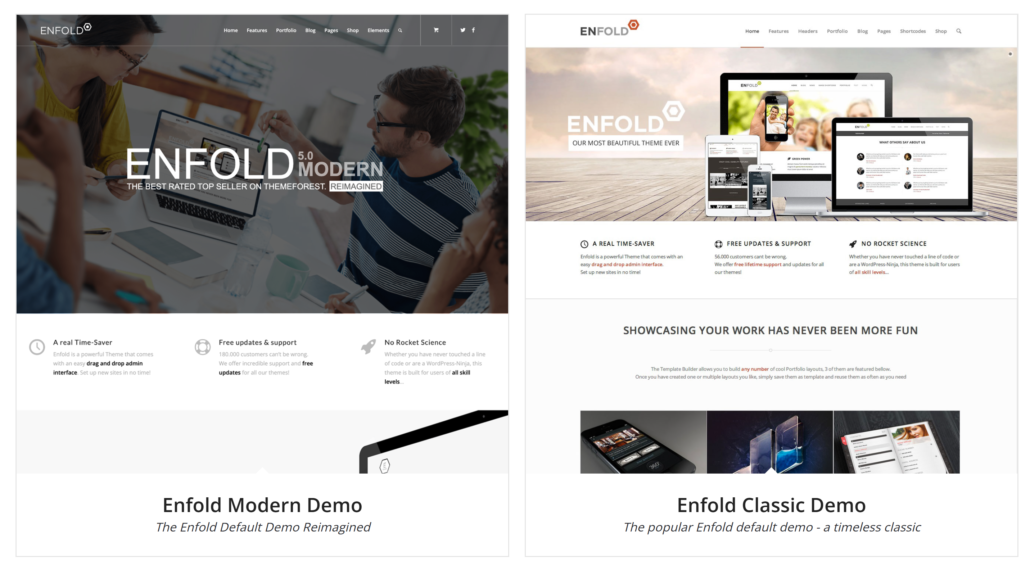
Demo Enfold WordPress Theme image showing two demo layouts, modern and classic