Why Most Membership Websites Stall
Why Most Membership Websites Stall and How to Launch in 30 Days
When your organization is ready to launch a membership website it should feel exciting.
Instead, for many associations and member-based organizations, it can be slow, confusing, and frustrating. Weeks turn into months. Volunteers get overwhelmed. Approvals are slow to come. No one is quite sure who is responsible for what.
The truth is this, most membership websites do not stall because of bad software. They stall because there are no clear plans or detailed checklists.
If you want to launch a new membership system in 30 days, I believe you need structure, organization, accountability, and someone with experience to hold your hand along the way to explain your numerous options and help you make educated decisions the first time.
Why Most Membership Websites Stall
Because of the work I have done with clients implementing MembershipWorks, I see similar patterns and I can help you avoid them. I want to give you and your team a more stress-free experience.
- Volunteer or Staff Bandwidth is Limited
Most membership organizations rely on volunteers or a few staff members.
Volunteers are generous, capable, and mission driven, but they likely already have full time jobs or they lack the intuitive nature and skills to figure out something new. Adding “set up a new membership platform” to their list often leads to delays. I get it. This process requires commitment for a short period of time. The longer a launch drags on, the more energy it loses.
- No Clear Process
When everyone is responsible, no one is responsible.
Who is defining membership levels?
Who is drafting the welcome email and renewal notice emails?
Who is setting up the payment gateway?
Who is testing before we launch?
Who will manage the system after it’s completed?
Without a clear roadmap and a single point of leadership, I have seen my inquiries go unanswered. I send an email with questions, and no one responds because they think it’s not up to them, someone else will respond and take responsibility.
- Domain Names and Payment Gateway Accounts
I have worked with nonprofits who could not figure out where their domain name was registered or how to transfer it to a new hosting provider (if required). They didn’t know who owned it officially. In one instance, the person who set it up passed away, and it was in their personal name, yikes. Getting and keeping ownership of your domain name and your hosting account is important. You should be clear about these things before we set up MembershipWorks and maybe a new website to go with it.
Related to this is the payment processing or payment gateway account.
If you have one already, do you have access to it?
If you need a new payment processor account, should you use Stripe or PayPal?
Should you allow offline payments (paper checks) or keep it strictly online?
If these questions are not answered early, the technical setup becomes messy. The project is delayed until this information is confirmed. It can get stressful when your organization isn’t prepared before we even start to configure MembershipWorks. I can help get your ducks in a row.
- Trying to Do It All Internally
Some organizations try to save money by doing everything themselves. You may have even already set up your account with MembershipWorks and started the process. That’s great.
However, because it’s new to you, it often takes you much longer to figure things out, settings and checkboxes might get overlooked, things don’t flow or show up at all on your website. I know, I’ve had clients call me saying, “I started, but I’m stuck and need help.” I don’t want you to struggle and get frustrated or give up. I appreciate your initiative. I want to help; I enjoy this kind of work, that’s why I specialize it in!
There are many elements and options, and I work in this system daily, so let me help you get it set up and train you on how to manage it moving forward. Asking busy staff or volunteers to become software implementation experts is rarely the best use of their time.
If you’re a website designer looking for a MembershipWorks implementation partner, learn more on my Developer Partners page.
The Real Cost of Delaying Your Membership Website Launch
Every month you delay:
- You delay membership and donation revenue
- You delay automation that could save hours of admin time
- You delay better member communication and engagement
- You delay growth
And perhaps most importantly, you just might increase the frustration among the very people who care most about your mission. I don’t want you or them to get burnt out.
How to Launch Your Membership Website in 30 Days
A successful membership website process requires clarity, structure, and action. Three of my top strengths (according to the StrengthsFinder Assessment) are Activator, Communicator, and Focus. These strengths help me immensely with MembershipWorks implementation services. You can read what each one means on my StrengthsFinder post. I highly recommend leadership teams know and understand each others strengths.
To make it easier for my clients to navigate this process, I created a structured Membership Launch Framework™ that focuses on:
- Clear Decisions Up Front
We define:
- Membership levels
- Pricing and renewal structure
- Payment processing
- Required custom fields and labels
- Online sign-up forms, donations, shops items
- Email notification language and frequency
- Your membership information and prep it for data migration
- Member only content and website navigation/sign-in structure
Before technical setup begins, we make the key decisions together or I give you the information to get feedback from your team so you can decide. This prevents rework and confusion later. I will provide my input and examples of what has worked for my clients in the past that might be helpful to you too.
- Expert Setup, Done for You
Instead of asking volunteers to figure it out, I will handle the primary system setup for you. There are a lot of details and customization to complete during the setup. Let me help.
This saves you time.
This reduces your frustration.
This keeps your project moving forward.
Volunteers or staff can stay focused on strategy, leadership, and member engagement, instead of struggling with configuration options.
- Training Your Admin to Maintain It
My goal is not to create dependency. After MembershipWorks and your website are properly set up, I train you or team so you can confidently:
- Assist members
- Run reports
- Send email communications
- Manage the renewal and new member process
- Update and export the database
- Find answers to questions
You get a strong foundation, and your team gets the skills to sustain it.
- A Defined 30-Day Timeline
When there is a clear timeline, momentum builds. If you need your implementation done in 30 days, it’s possible. Most of the time we take 30-60 days, but I can move quickly if you can.
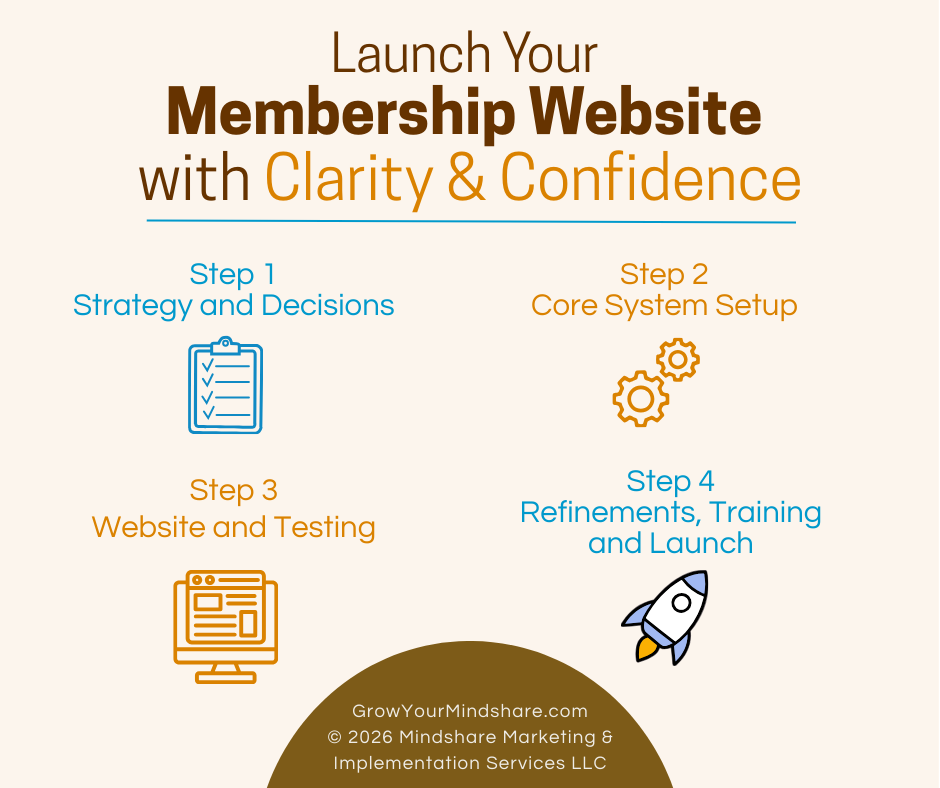
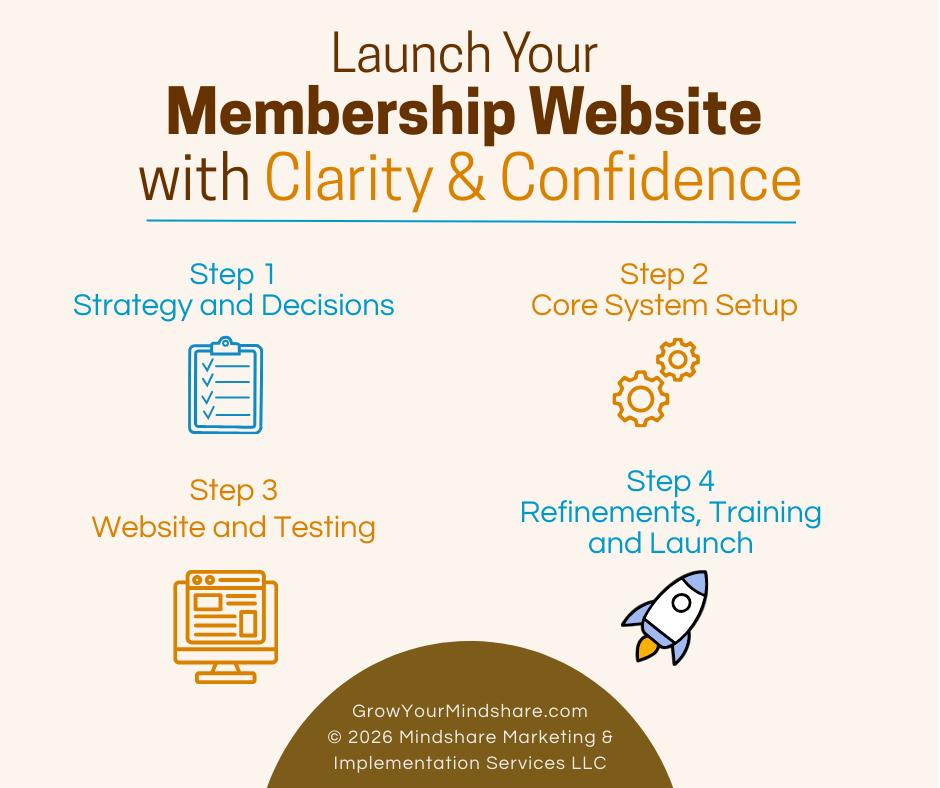
Step 1 – strategy and decisions
Step 2 – core system setup
Step 3 – website and testing
Step 4 – refinements, final training and launch
Instead of endless meetings and dropped balls, you move forward with clarity.
Save Time, Reduce Volunteer Strain, and Launch with Confidence
I know you care about your mission. You should not be overwhelmed by software implementation. By hiring me as your experienced membership implementation specialist, you:
- Protect staff or volunteers’ time
- Avoid costly setup mistakes
- Launch faster
- Start collecting revenue sooner
- Reduce frustration across your leadership team
- Gain confidence knowing it was all set up correctly
A new or improved membership website does not have to stall.
With the right framework, the right structure, and the right support, you can confidently launch in 30 days. If that’s too fast, we can work over a period of 60 days. We just don’t want it to drag on. We want to keep everyone engaged until it’s complete, then celebrate!
Let’s Connect
The best first step is to schedule a simple phone call with me. I’d like to learn about your organization and where you are in the process of creating a better membership system for your small business, nonprofit or membership-driven organization.
During our call we can decide if you’d like to schedule a personalized demo via zoom or move right into working on the MembershipWorks Implementation Framework™ project management questionnaire.
You can see a few websites I have set up with MembershipWorks and read testimonials on my Completed Websites page. Learn more about my services.
Questions? You can send me an email too.
Michelle Aspelin
MembershipWorks Implementation Specialist
My Developer Profile on MembershipWorks.com
Call/Text: 952-484-6015
Mindshare Marketing & Implementation Services LLC