Published June 2026
If your business, nonprofit, homeowner association, or organization has a website built using Weebly, you may be wondering what the future holds. Well, it’s time for a Weebly website migration.
I helped many organizations build websites using Weebly because it was simple, affordable, and easy to update. However, Weebly was acquired by Square, and over time Square has shifted its focus toward its newer website and ecommerce products.
While Weebly websites continue to function normally today, industry discussions and platform trends suggest that Weebly is moving into a long-term “maintenance mode” with no future updates or enhancements. Because Square has stopped updating the software, it may eventually not function properly like it does today.
The good news: there is no reason to panic or make an immediate change.
I experience my first “glitch” on a client’s Weebly website in August 2026. They had already been informed about making the switch and they fast tracked that plan and I am making them a new Squarespace website in September 2026.
My Experience with Weebly Websites
 For many years, I built Weebly websites for clients who needed a simple, affordable website that they could manage themselves as opposed to a more comprehensive platform like WordPress.
For small businesses, nonprofits, community organizations, and associations that needed a straightforward online presence, Weebly was a great fit. It allowed clients to make basic updates without needing technical skills or ongoing website support.
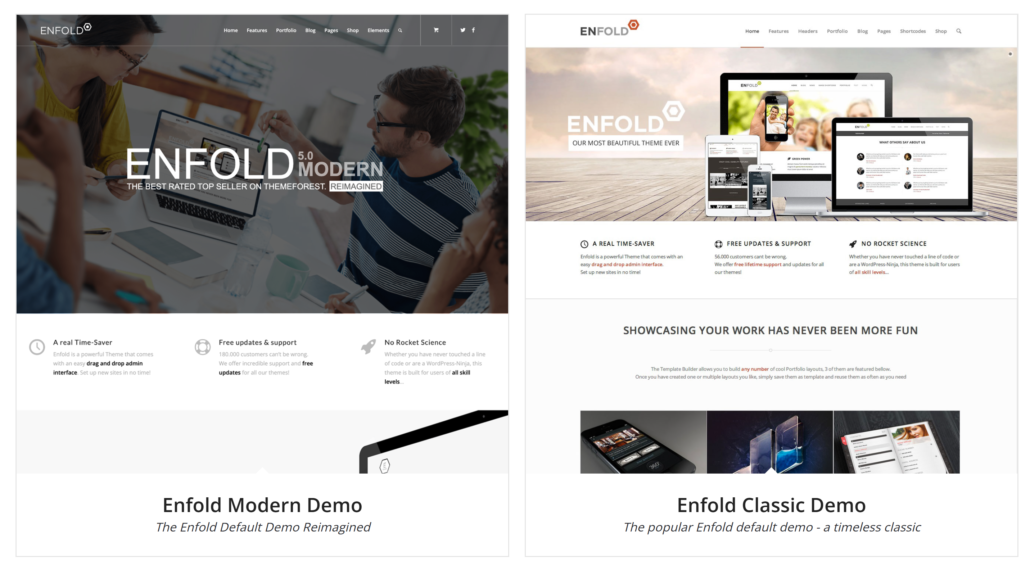
Now is a good time to evaluate your options, preserve your content, and make a thoughtful decision about what type of website you need for the future. I have a WordPress theme I use that offers the “drag and drop” type of page builder similar to Weebly. Making website creating and editing easy for my clients. Read more about why I use the Enfold theme I use.
If you have questions about your Weebly website, contact me.
Why Start Planning a Weebly Website Transition?
A website platform is like any other technology tool, eventually it may become outdated, unsupported, or no longer meet your organization’s needs.
Here’s what I recommend you do now:
- Review your current website content and remove old, outdated content
- Compare website platforms to find one that fits your needs and your budget
- Plan a transition timeline that’s convenient for your organization
- Make sure you have your photos, videos, and PDFs stored in an alternate platform like Google Drive or Dropbox
Waiting until something breaks will cause stress and frustration. I would make the change sooner rather than later so you are in control.
Your Website Needs to Be Rebuilt — Not “Moved”
Changing website platforms is not a simple transfer. Your whole Weebly website cannot be copied directly into another platform. Instead, the new website is built using a different system, with your existing content, images, documents, and branding used as the foundation. Content is copied, page by page, to the new site. All images and documents need to be uploaded into the new website’s media library. The good news is that this is also an opportunity to clean up outdated information and improve navigation and functionality.
Weebly Website Alternatives to Consider
The best platform depends on your organization’s needs, budget, and how much control you want over the website. I like to stay in my wheelhouse so I can help you with a new Squarespace or WordPress website as your Weebly website alternatives.
Squarespace
Squarespace is a good option for organizations that want a professional-looking website with simpler maintenance than WordPress. Monthly plans start at $16/month up to $39/month for more robust features. See current options. I have built or improved several Squarespace sites, including adding MembershipWorks.
It works well for:
- Small businesses
- Professional services
- Community and trade organizations
- Organizations that do not need complex features
- Membership management
WordPress
WordPress is a more robust option and is often the best choice for organizations that want room to grow, need additional features, or focus on blog posts and better search results.
It works well for:
- Businesses that rely on search engine traffic
- Organizations with more complex needs
- Websites that need additional functionality, special forms and integrations with other platforms
- Focus on blogging, newsletter archives, extensive photo galleries
- Membership management
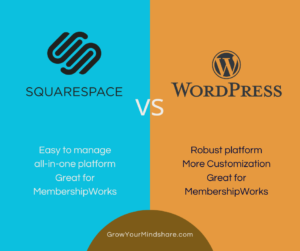
I have a blog post that compares Squarespace and WordPress you might find helpful.
Square Websites
Since Square owns Weebly, you may consider having them convert your site to a Square site, especially if you already use Square for payments or ecommerce.
It is important to compare features carefully and choose the platform that best fits your future needs. I have not built sites with Square, so if you choose this platform, you will need to find a developer to help you make sure its set up properly or use their online support.
Don’t Forget About Your Documents and Website Files
Many organizations use their website as a document library. Homeowner associations, nonprofits, clubs, and membership organizations often store:
- Meeting minutes
- Financial documents
- Forms and policies
- Member resources
- Extensive photo galleries and historical records
Before changing website platforms, I recommend creating an organization-owned archive.
Consider storing important documents and images in a dedicated cloud storage account such as Google Drive or Dropbox.
The key is that the account belongs to your organization — not an individual volunteer, board member, or website admin.
This protects your records if leadership changes or someone who manages the website is no longer available. I cannot emphasize this enough. I have worked with organizations where a key person passed away, and no one could access important website accounts or files. I have also seen situations where a former employee or volunteer left the organization and account access was difficult to recover.
Your Domain Name Can Move with You
Don’t worry about losing your website address when you move to a different website platform. Your domain name (your website address) is separate from your website software. In most cases, your domain can be transferred to a new website hosting provider when you build a new website. Or, we can “point” your domain to a different hosting provider. We will review and see when your domain and current hosting account expires to try to avoid overlapping services.
How I Help Clients Transition Away from Weebly
I help small businesses, nonprofits, and organizations evaluate their website options and plan practical transitions.
I create websites using WordPress and Squarespace, and I can also help you prepare your content, organize documents, and create a transition plan.
The first step is simply understanding your options. A website transition does not have to be rushed. Planning ahead gives you time to make the right decision for your organization.
Let’s schedule a phone call to discuss your Weebly website alternatives.
952-484-6015
Michelle Aspelin
Website Implementation Specialist
Mindshare Marketing & Implementation Services, LLC
Update September 2026
Here are issues others have reported (per Google AI) while using the Weebly website editor:
- Redirect and Login Loops: Users attempting to log into their classic Weebly editor are frequently redirected into the completely different Square Online dashboard interface.
- The “Broken” Interface: The editor sidebar or text modules fail to load entirely, or elements do not drag and drop accurately.
- Publishing and Saving Failures: Making changes in the editor but having those changes fail to publish live or display correctly on the front end.
- App Store Incompatibilities: Many third-party apps from the old Weebly App Center are breaking or have been abandoned by developers because Square shut down updates for them.