Tag Archive for: Michelle Aspelin

Why Most Membership Websites Stall and How to Launch in 30 Days

When your organization is ready to launch a membership website it should feel exciting.

Instead, for many associations and member-based organizations, it can be slow, confusing, and frustrating. Weeks turn into months. Volunteers get overwhelmed. Approvals are slow to come. No one is quite sure who is responsible for what.

The truth is this, most membership websites do not stall because of bad software. They stall because there are no clear plans or detailed checklists.

If you want to launch a new membership system in 30 days, I believe you need structure, organization, accountability, and someone with experience to hold your hand along the way to explain your numerous options and help you make educated decisions the first time.

Why Most Membership Websites Stall

Because of the work I have done with clients implementing MembershipWorks, I see similar patterns and I can help you avoid them. I want to give you and your team a more stress-free experience.

  1. Volunteer or Staff Bandwidth is Limited

Most membership organizations rely on volunteers or a few staff members.

Volunteers are generous, capable, and mission driven, but they likely already have full time jobs or they lack the intuitive nature and skills to figure out something new. Adding “set up a new membership platform” to their list often leads to delays. I get it. This process requires commitment for a short period of time. The longer a launch drags on, the more energy it loses.

  1. No Clear Process

When everyone is responsible, no one is responsible.

Who is defining membership levels?
Who is drafting the welcome email and renewal notice emails?
Who is setting up the payment gateway?
Who is testing before we launch?
Who will manage the system after it’s completed?

Without a clear roadmap and a single point of leadership, I have seen my inquiries go unanswered. I send an email with questions, and no one responds because they think it’s not up to them, someone else will respond and take responsibility.

  1. Domain Names and Payment Gateway Accounts

I have worked with nonprofits who could not figure out where their domain name was registered or how to transfer it to a new hosting provider (if required). They didn’t know who owned it officially. In one instance, the person who set it up passed away, and it was in their personal name, yikes. Getting and keeping ownership of your domain name and your hosting account is important. You should be clear about these things before we set up MembershipWorks and maybe a new website to go with it.

Related to this is the payment processing or payment gateway account.

If you have one already, do you have access to it?
If you need a new payment processor account, should you use Stripe or PayPal?
Should you allow offline payments (paper checks) or keep it strictly online?

If these questions are not answered early, the technical setup becomes messy. The project is delayed until this information is confirmed. It can get stressful when your organization isn’t prepared before we even start to configure MembershipWorks. I can help get your ducks in a row.

  1. Trying to Do It All Internally

Some organizations try to save money by doing everything themselves. You may have even already set up your account with MembershipWorks and started the process. That’s great.

However, because it’s new to you, it often takes you much longer to figure things out, settings and checkboxes might get overlooked, things don’t flow or show up at all on your website. I know, I’ve had clients call me saying, “I started, but I’m stuck and need help.” I don’t want you to struggle and get frustrated or give up. I appreciate your initiative. I want to help; I enjoy this kind of work, that’s why I specialize it in!

There are many elements and options, and I work in this system daily, so let me help you get it set up and train you on how to manage it moving forward. Asking busy staff or volunteers to become software implementation experts is rarely the best use of their time.

If you’re a website designer looking for a MembershipWorks implementation partner, learn more on my Developer Partners page.

The Real Cost of Delaying Your Membership Website Launch

Every month you delay:

  • You delay membership and donation revenue
  • You delay automation that could save hours of admin time
  • You delay better member communication and engagement
  • You delay growth

And perhaps most importantly, you just might increase the frustration among the very people who care most about your mission. I don’t want you or them to get burnt out.

How to Launch Your Membership Website in 30 Days

A successful membership website process requires clarity, structure, and action. Three of my top strengths (according to the StrengthsFinder Assessment) are Activator, Communicator, and Focus. These strengths help me immensely with MembershipWorks implementation services. You can read what each one means on my StrengthsFinder post. I highly recommend leadership teams know and understand each others strengths.

To make it easier for my clients to navigate this process, I created a structured Membership Launch Framework™ that focuses on:

  1. Clear Decisions Up Front

We define:

  • Membership levels
  • Pricing and renewal structure
  • Payment processing
  • Required custom fields and labels
  • Online sign-up forms, donations, shops items
  • Email notification language and frequency
  • Your membership information and prep it for data migration
  • Member only content and website navigation/sign-in structure

Before technical setup begins, we make the key decisions together or I give you the information to get feedback from your team so you can decide. This prevents rework and confusion later. I will provide my input and examples of what has worked for my clients in the past that might be helpful to you too.

  1. Expert Setup, Done for You

Instead of asking volunteers to figure it out, I will handle the primary system setup for you. There are a lot of details and customization to complete during the setup. Let me help.

This saves you time.
This reduces your frustration.
This keeps your project moving forward.

Volunteers or staff can stay focused on strategy, leadership, and member engagement, instead of struggling with configuration options.

  1. Training Your Admin to Maintain It

My goal is not to create dependency. After MembershipWorks and your website are properly set up, I train you or team so you can confidently:

  • Assist members
  • Run reports
  • Send email communications
  • Manage the renewal and new member process
  • Update and export the database
  • Find answers to questions

You get a strong foundation, and your team gets the skills to sustain it.

  1. A Defined 30-Day Timeline

When there is a clear timeline, momentum builds. If you need your implementation done in 30 days, it’s possible. Most of the time we take 30-60 days, but I can move quickly if you can.

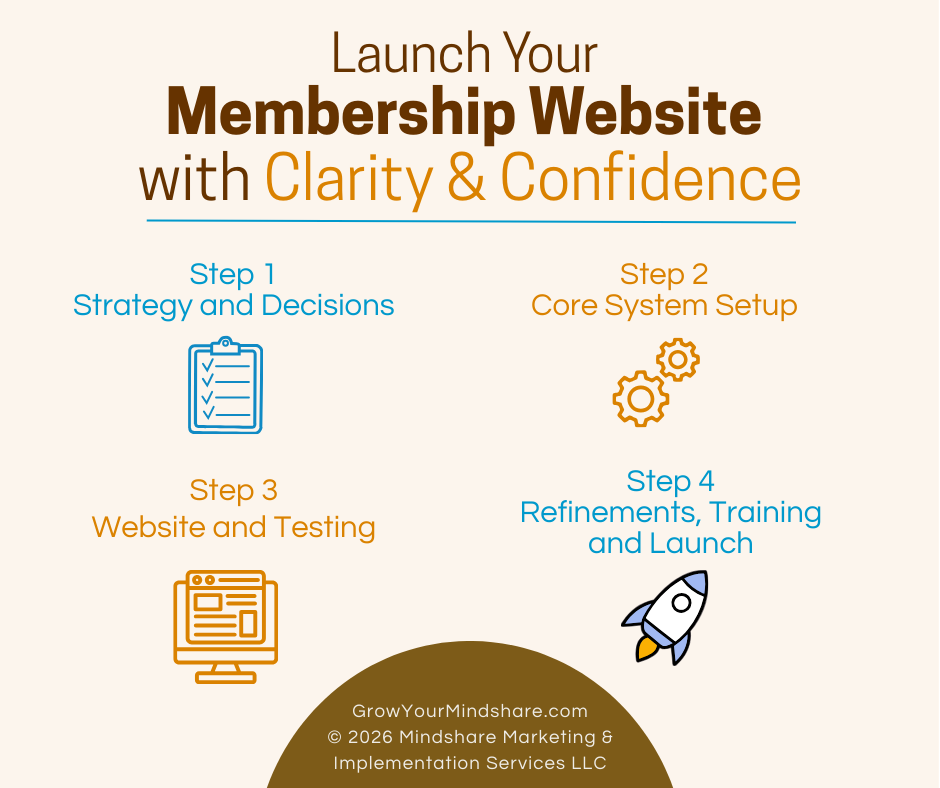
Step 1 – strategy and decisions
Step 2 – core system setup
Step 3 – website and testing
Step 4 – refinements, final training and launch

Instead of endless meetings and dropped balls, you move forward with clarity.

Save Time, Reduce Volunteer Strain, and Launch with Confidence

I know you care about your mission. You should not be overwhelmed by software implementation. By hiring me as your experienced membership implementation specialist, you:

  • Protect staff or volunteers’ time
  • Avoid costly setup mistakes
  • Launch faster
  • Start collecting revenue sooner
  • Reduce frustration across your leadership team
  • Gain confidence knowing it was all set up correctly

A new or improved membership website does not have to stall.

With the right framework, the right structure, and the right support, you can confidently launch in 30 days. If that’s too fast, we can work over a period of 60 days. We just don’t want it to drag on. We want to keep everyone engaged until it’s complete, then celebrate!

Let’s Connect

The best first step is to schedule a simple phone call with me. I’d like to learn about your organization and where you are in the process of creating a better membership system for your small business, nonprofit or membership-driven organization.

During our call we can decide if you’d like to schedule a personalized demo via zoom or move right into working on the MembershipWorks Implementation Framework™ project management questionnaire.

You can see a few websites I have set up with MembershipWorks and read testimonials on my Completed Websites page.

Questions? You can send me an email too.

Michelle Aspelin
MembershipWorks Implementation Specialist
My Developer Profile on MembershipWorks.com
Call/Text: 952-484-6015
Mindshare Marketing & Implementation Services LLC
membership website launch graphic with 4 steps

Squarespace vs WordPress for Membership Websites: Which Is Right for Your Organization?

If you’re trying to decide between Squarespace vs WordPress for a membership website, your head might be spinning. Many small businesses, nonprofits, and associations struggle to choose the right platform. Most organizations I talk with want a site that’s easy to manage but still powerful enough to handle memberships, renewals, and member only content and events. I have built and supported membership websites using both WordPress and Squarespace and implemented MembershipWorks on each platform. I’ve seen where each option shines and where it can fall short.

Without going into too much detail, here are some key differences between Squarespace and WordPress specifically for membership websites—not eCommerce sites or large-scale platforms, but the kinds of “brochure-style” membership websites many organizations actually need. My goal is to help you make a confident, informed decision based on your organization’s needs and comfort level with ongoing website maintenance. I want to give my clients what they need.

A Quick Note on Membership Websites

When I talk about “membership websites,” I’m referring to sites that include things like:

  • Online membership signups and dues renewals
  • Automated renewal reminders
  • Member directories
  • Events and registrations
  • Members-only content pages
  • Dues, donations, and sponsorship payments

For the organizations I work with, MembershipWorks handles your membership database system. The MembershipWorks software integrates with your website platform (WordPress or Squarespace).

You can read my post about Is MembershipWorks Right For Your Organization if you’d like to learn more about MembershipWorks.  Or visit my MembershipWorks page where I outline the features and benefits.

WordPress for Membership Websites

I’ve been building WordPress websites for small organizations since 2010, and it’s still a powerful option, especially when flexibility and writing blog posts are important.

WordPress logo black and white

Why WordPress Can Be a Great Choice

WordPress works well if your small business or nonprofit organization needs:

  • Advanced customization
  • Robust blogging or content publishing
  • Strong SEO tools and analytics
  • Integration with other third-party tools and plugins
  • Full control over hosting and email management

MembershipWorks integrates very well with WordPress, and when set up correctly, the combination can be extremely effective. We can customize MembershipWorks to match the colors and branding on your website so it’s a seamless experience for your members.

The Trade-Off: Complexity

The downside of managing a WordPress website is ongoing complexity.

WordPress sites typically require:

  • Choosing and managing a hosting plan
  • Domain setup and potential domain transfers
  • Purchasing and maintaining a theme
  • Installing and updating the right plugins
  • Managing security and backups

None of this is wrong, but it does add more responsibility and requires you to be more attentive to your website. For small organizations with limited staff or volunteers, that complexity can be a burden. I understand when leadership turns over and new volunteers or staff come in. You want them to be able to maintain the website too. We don’t want it to be too technical or frustrating. We want it to meet your requirements. I get it.

Squarespace for Membership Websites

Squarespace is often a better fit for organizations that want a simpler, lower-maintenance website.

I’ve built Squarespace websites from scratch and helped clients integrate MembershipWorks into existing Squarespace sites, and it works very well for many membership organizations. I would say it’s more of an all-in-one solution. Because of this, it does cost more per month than WordPress. But you may find the convenience worth it.

Squarespace logo black and white

Why Squarespace Can Be a Great Choice

Squarespace may be ideal if your organization wants:

  • A clean, professional website with minimal setup
  • Hosting, security, and updates handled for you
  • Fewer technical decisions to make
  • An easier learning curve for staff or volunteers
  • A stable platform that “just works”

MembershipWorks integrates smoothly with Squarespace, allowing you to manage memberships, renewals, events, and payments. There are no plugins to manage in Squarespace, no additional theme to purchase. I add shortcodes from MembershipWorks to integrate membership features into your website.

The Trade-Off: Flexibility

Squarespace is more structured than WordPress. That means:

  • Fewer layout and customization options
  • Less control over advanced SEO settings
  • Blog features that are solid, but not as robust as WordPress
  • Costs a bit more per month for this platform

For many organizations, this is a perfectly acceptable trade-off, especially if the website’s primary purpose is to support membership rather than writing blog posts and adding a ton of content.

How I Help Clients Decide

I don’t push my clients to one platform over the other. Instead, we talk about it together. I want to understand who will be managing the website and how comfortable they are with technology. I want to know if your organization wants to write blog posts and how important SEO is to you. We need to find out what you value most and make the best choice for now and the future of the organization.

For many small nonprofits, associations, and member-driven organizations, the cost of complexity can outweigh the benefits of a highly customizable platform. While I have primarily worked with WordPress, I do think Squarespace offers an excellent solution also.

The Most Important Piece: Proper Implementation

No matter which platform you choose, the success of your membership-based website depends on how MembershipWorks is implemented.

A thoughtful setup ensures:

  • Membership levels make sense
  • Renewals are customized and automated
  • Volunteers and staff can easily access your membership database
  • The system continues to work as leadership changes
  • Custom training materials are provided

I have a clear process for managing the implementation of MembershipWorks. I have a project spreadsheet we share during the process, and I offer written and video tutorials for my clients.

Next Step

WordPress and Squarespace can both support effective membership websites when paired with MembershipWorks.

If you’re considering a membership website and want help deciding between WordPress and Squarespace, or have questions about implementing MembershipWorks on either platform, please contact me. I’m happy to help you find the solution that fits your organization best. Ultimately, I want my clients to be happy with their website and their membership management solution. Learn more about my services and how I work with my clients.

Michelle Aspelin
MembershipWorks Implementation Specialist
View my Developer Profile on the MembershipWorks website
Read Reviews about me or Connect with me on LinkedIn

Mindshare Marketing & Implementation Services LLC

Based in Colorado, USA.

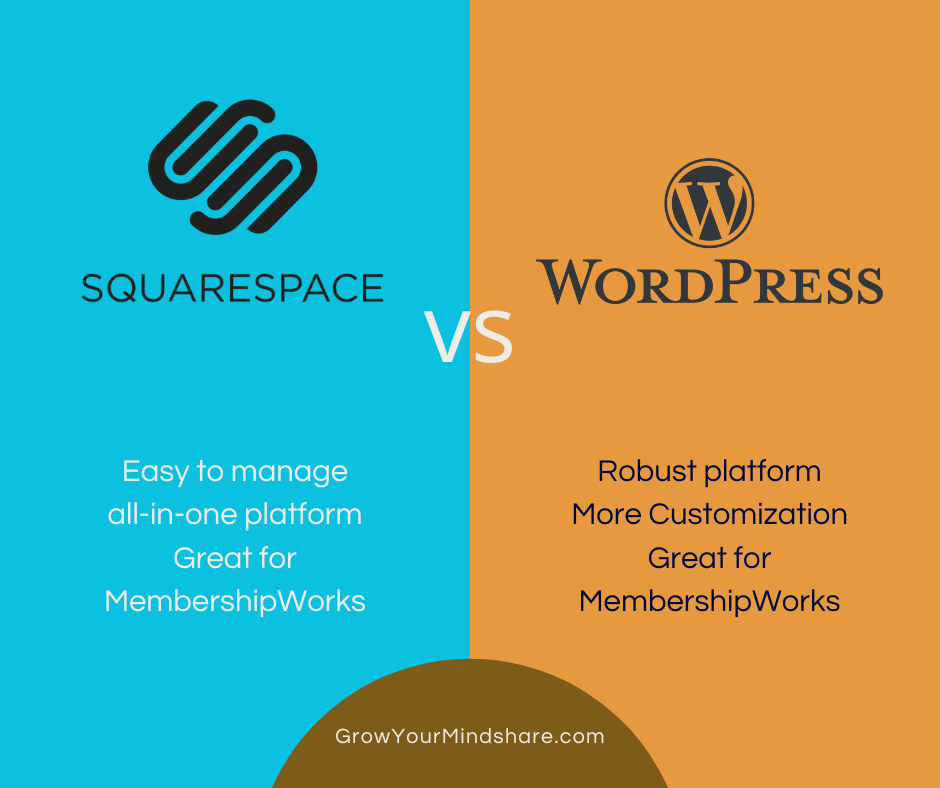
Squarespace vs WordPress for Membership Websites graphic image

How to earn REVENUE with MembershipWorks to offset the cost of the membership software – a monetization opportunity

By Michelle Aspelin of Mindshare Marketing & Implementation Services LLC
View my MembershipWorks Developer Profile

If you are considering implementing MembershipWorks (MW) on your WordPress website but want to defray the costs of this amazing membership software, you will like what you read here. If you already have MW, you can still add some of these elements to your website to help offset the cost of your monthly membership fee with MembershipWorks (see pricing). Keep in mind, these are in addition to the customary ways that websites can defray costs like selling advertising on their website. Even if you choose just one of these, it could be all you need to essentially get MembershipWorks for free! MembershipWorks is an opportunity to monetize your website.

The same opportunity exists with the first three elements/features on the list below. You can charge a posting fee for these elements either to your members, nonmembers, or both. It’s easy to earn revenue with MembershipWorks.

You can include the opportunity to post in one of these elements as a benefit to your members for the amount of your current membership. Gaining you more members who value this benefit.

You can create a new Membership Level or Membership Add-on and upsell your current membership.

You can offer your members a discount on the cost of making a post on one of these first three revenue ideas.

1. Classified Ads Posts – create a community or member only marketplace. Give your members and website readers first dibs on items your members are selling. Helps generate website traffic as well as revenue for your company, organization, club, nonprofit, etc.

2. Announcement Board Posts – bring your members to your website vs relying on Facebook or other third-party sites. Your Announcement Board can be a public board anyone on the website can view or for members eyes only. Posts can be specific to your organization and offer a benefit to members and others. Helping your website be the “go to” site for news in your industry. See DEMO Announcement Board

Announcement Board screenshot

3. Job Board Posts – allowing posts like this on your website could help your site become a career hub. You could charge employers a fee to list jobs on your board that your members would be interested in. Or your members might be the ones doing the hiring for their own organization. Here’s what MW says about the Job Board feature:

“Job Boards are a powerful retention tool. Members who find a job through your website are more likely to renew their membership so that they can stay on top of career opportunities. If you make the Job Board only available to current members, prospective members are also incentivized to join.”

4. Shopping Cart – create a Shopping Cart to sell items on your website to your members only or make the marketplace public and sell to everyone. Items can be physical products you mail or ship to your buyers or digital content. You can offer item options, quantities, and limits. You can sell sponsorships for your events, expos and other opportunities by using the Shopping Cart feature.

5. Forms – use a Form for a one-time thing like signing up for a class or workshop where you can charge a registration fee. You can also use a Form for sponsorships for a one-time opportunity.

6. Events – similar to Forms but instead you use the Events feature to create an event on your calendar and sell “tickets” to that specific event, helping not only to offset your MW software fee but the event costs as well!

7. Donations – offer a list of suggested donation amounts or allow the donor to fill in the amount they want to donate. And if you are a 501(c)(3) nonprofit organization, be sure to let your donors know that all or part of their donation could be tax deductible and they should ask their tax preparer. Donations can be for your general fund or for specific funds you choose to promote. Great for annual giving campaigns.

8. Membership Directory – let’s not overlook the obvious here. Some clubs are free to join, and that’s great if you don’t ever incur any costs for the club, group or organization. But if your club has expenses, then creating a very specific list of membership benefits and charging a Membership Fee is a great way to offset your costs. See DEMO Membership Directory


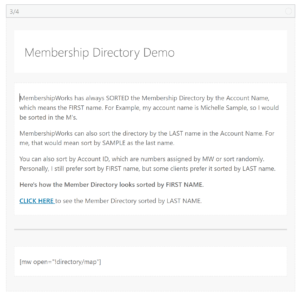
Membership Directory screenshot


9. Specialized Directory – MembershipWorks is all about the Member Directory, but did you know that you can add other Specialized Directories and charge a fee for the listing? For example, several of my clients are dog clubs and they have a Breeder Directory in addition to their Member Directory. Members pay an extra fee at the time they renew their annual membership. Members themselves can add or remove this directory listing at any time, making it easy for your administrators!

10. Credit Card Processing – Some of my clients worry about offering online payments to their members because of the extra fees that credit card processors charge. First, you need to know the laws in the area you are located. You may be able to increase the cost of the item or membership dues to cover your costs. For example, if you are charged 2.5% for credit card processing, simply add that amount to the cost of your item’s price. If your item is $35, the 2.5% fee is $0.875 so you could charge $36 to cover the fee and a little extra for your organization.

We highly recommend using Stripe for your payment processing because they don’t charge a monthly fee and if you are a nonprofit, ask them for a discount off the fee published on their website. Here’s what Stripe has to say about passing along their credit card processing fees to your clients, customers or members.

“You can pass Stripe fees on to customers by including them in the final charge amount, but it’s essential to ensure compliance with any applicable laws pertaining to your business. Calculate the gross amount, taking into consideration that increasing the final amount also increases the Stripe fee. Be aware that charging processing fees may be prohibited by law in some jurisdictions, so always act in accordance with the applicable regulations.” Read Full Suggestion by Stripe

Revenue Reporting

When I customize the ways you can earn revenue with MembershipWorks, I can indicate what type of revenue you are collecting so you can run reports and upload the revenue to QuickBooks. Revenue can be classified as membership, donations, events, cart items or other. Make sure your treasurer or bookkeeper is an Admin on your MW account so they can login and get the sales revenue on a regular basis.

Don’t let the monthly membership software fee prohibit you from using MembershipWorks to strengthen your organization.

It can add so much regarding the organization of your membership, promoting your members, reducing administrative time and increasing accuracy and transparency. Having a system like this makes it easier to pass on the tasks and responsibilities to the next volunteer or employee who does this important work.

My clients claim that the benefits MWs offers far outweigh the monthly fee. See my post about the best MembershipWorks features for association management.

Ask about a custom DEMO to explain all the benefits of using MembershipWorks AND how you can use it to help generate revenue! Read about the DEMO on my website and watch the 3 short introductory videos about what MW is and how it works.

Call me with your questions!

Michelle Aspelin
Mindshare Marketing & Implementation Services LLC
952-484-6015

Hello from Mindshare Marketing & Implementation Services!

I’d love to hear from you! Send me an email or give me a call and let me know what’s new for you, for your business, organization, or any endeavor. I’m a connecter and if there’s anything I can do for you, let me know. I can help spread the word using a variety of media like Facebook, email, LinkedIn, personal connections, etc. Let me know if you have something new I can promote, share, or encourage others to consider.

If I manage your website, let me know if you need any new content on your site. New blog posts, product or service offerings or if you just want to celebrate the success you are already experiencing! I miss connecting with people, so please, send me an update!

What’s New with me?

I am still loving my work at Mindshare Marketing & Implementation Services. Primarily making WordPress websites and lately I have assisted another web designer to implement MembershipWorks (a membership management platform) for two organizations, the DDR German Shepherd Dog Club of America and the Great Pyrenees Club of America. Working for dog organizations sure makes me miss my own Cavalier King Charles Spaniel, Oliver, but it’s great to see the photos of happy dogs and help them manage their membership.

I also launched a new website for my longtime client, Meg Adams at Divine Containers. Check out the beautiful flower containers she creates with her team! That was another site that brought me joy to watch it “blossom”. She has many photos of her seasonal container business based in Victoria, MN. And she does fresh floral arrangements too!

What’s Next?

I am looking for more projects and clients I can serve. Small businesses or nonprofit organizations. I can serve as an administrator as well as web designer or membership manager. I enjoy doing work remotely, I have clients outside of my local geographic area. You can find my profile on Indeed, LinkedIn or MembershipWorks.com.

But really, I want to hear from you! I feel like I have allowed the pandemic of the past couple of years to impact my work relationships and I have lost touch. Social media is fine, but I miss specific email updates, phone calls, and, especially, in person coffee/tea gatherings where we can really have some valuable “facetime”. If you are local and would like to meet up in person, let me know! I have a flexible schedule.

Cheers!
Michelle

Michelle Aspelin
Mindshare Marketing & Implementation Services LLC
GrowYourMindshare.com

First, What’s a blog?

In very simple terms, blogs (short for web logs) are websites where a series of messages, or posts, on particular subjects are posted in chronological order—newest to oldest. Most have an area where blog visitors can post comments as well. Blogs are intended to be updated and read often. They are no longer considered personal diaries. Some are solely informational, others are sales driven, and others are somewhere in between. This flexibility is just one of the reasons to choose a blog over a more traditional site more and more often.

Other blog advantages

  • Easy to get up and running quickly
  • Inexpensive to maintain (Example: $3.95/month hosting fee or FREE from WordPress.com)
  • Search engines—and people—like them because they’re wonderful vehicles for sharing ideas, videos, educational content, photos, etc.
  • When maintained regularly, one of the best ways to move up in the search engine results Read more

Rottweiler Health FoundationI’m so happy that the Rottweiler Health Foundation found me during their online search for a WordPress Website Designer. They were looking for someone to help update their website AND help them complete their nonprofit membership integration with MembershipWorks, a task they had been trying on their own for over a year.

I was able to create a whole new WordPress website for them and finish setting up their membership process in MembershipWorks to help manage their members, multiple donation campaigns, and sync it up with MailChimp (for email marketing) to keep their lists updated automatically. They were fantastic to work with. Their Board members are all over the country so we did everything over Zoom and it worked out great, see rottweilerhealth.org.

“Our non-profit was looking to move our membership management to MembershipWorks. However, we had issues with several other things and had stalled out. I found Michelle on a google search and contacted her to see if she could help.
After speaking with the people involved, she presented a proposal and got to work!!
Michelle helped to work through our issues. She was right there, guiding us were we needed it, and letting us get comfortable with MembershipWorks. She also was able to fully integrate our WordPress system, and helped us get all of our other issues taken care of, including updating our website.
The Rottweiler Health Foundation is now moving along smoothly with our system. We are hearing good things from our Board and our members. All of the issues were done on schedule and on budget too.
As Membership Chair, I am thrilled with how easy it was to work with Michelle. And I know if I run in to any questions in the future, she will be right there to help.” Pat Carkoski, Membership Chairperson

If you know of a group or nonprofit who is struggling to manage their membership, volunteer or donor databases, have them reach out to me! I will see if my strengths and experience match their needs so we can find solutions for them.

You can view other completed websites to see the clients I have helped, view their websites and read their story.

Connect with me to learn more about how MembershipWorks can help your nonprofit membership management. Read more review on my MembershipWorks profile.

Michelle Aspelin
Mindshare Marketing & Implementation Services LLC


I launched a new WordPress Website for a local nonprofit called Elder Resource Association—South of the River. They serve the senior communities in Burnsville, Savage, Lakeville, etc. Their website was ready for a new look, so we worked to get the content updated as well as the design and how it looks visually.

Elder Resource AssociationDuring our initial conversation, they said that managing their nonprofit membership was a challenge. They were outgrowing their excel spreadsheet. I mentioned I had worked with MembershipWorks for some past clients. MembershipWorks is an online platform that manages your member database, sends out automatic email renewal reminders, allows for an online membership directory,  accepts online payments, provides financial reports and event management. We did a demo of the software and they were as impressed with it’s capabilities as I am, so we implemented that into their website as well. We worked quickly in November to get all of this done before their January 1 annual renewal date. Read my MembershipWorks profile and reviews.

Here’s what Kathy Quinby (Membership/Treasurer) had to say,

“Michelle did an amazing job helping our group, Elder Resource Association South of the River, design a new website. As we defined the things we wanted members to be able to do on the site, Michelle recommended MembershipWorks as a tool we should consider and then she managed the steps to integrate it with our site. Michelle is great to work with. She listens carefully to her clients, makes solid recommendations to solve their needs and then implements the project with ease. None of us that worked with her are techies, and she made it so easy. We could not have done this without Michelle’s help. I highly recommend Michelle for this type of project. Call her! You’ll be glad you did!”

If you are part of a nonprofit organization that you think could use help keeping your nonprofit membership database organized and managing your event registrations, give me a call. I’d love to help. Visit my Services page to learn more about what I offer to nonprofits and small businesses.

When Linda McNulty was on the Board of the Wickenburg Art Club in AZ, here’s what she said about implementing MembershipWorks for their nonprofit organization,

“The Wickenburg Art Club was delighted to discover Michelle Aspelin’s expertise, helping the club transition to MembershipWorks in order to manage the club’s membership on their website. Michelle worked with the board of directors, training them to use the program to its fullest with an excellent PowerPoint tutorial and was always available to answer every question. We simply couldn’t have done it without her!”

I can also add MailChimp for your email marketing so it integrates with your membership database automatically. Connect with me to learn more!

Michelle Aspelin
Mindshare Marketing & Implementation Services LLC